
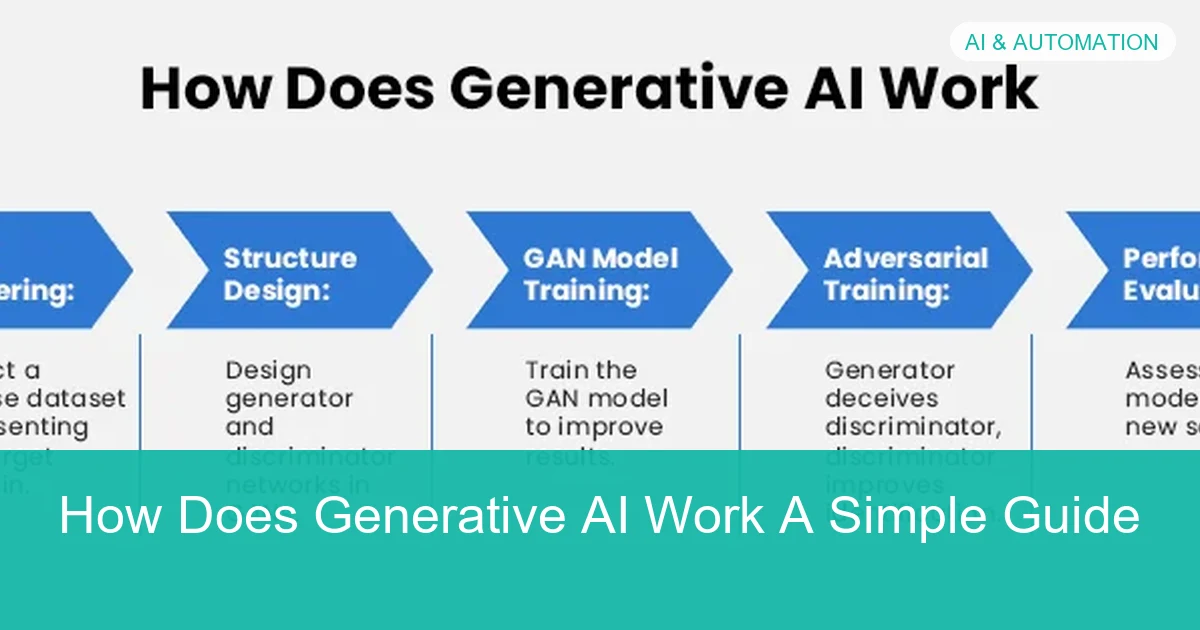
How Does Generative AI Work A Simple Guide
Generative AI works by learning patterns from large datasets and then predicting the next most likely token or output based on your prompt. It can create text, images, audio, video, and code, but it still needs human review because it can be wrong or incomplete.
Generative AI is one of the most talked-about technologies in AI & Automation, but the idea behind it is simpler than it sounds. At a basic level, it learns patterns from data and then uses those patterns to create new text, images, audio, video, or code.
If you want a clear explanation of how AI tools fit into everyday workflows, this guide will help. We’ll break down how generative AI works, what powers it, where it helps, and where you still need human judgment.
- Pattern-based: Generative AI creates output by predicting likely content, not by thinking like a person.
- Prompt matters: Better context usually leads to better results.
- Human review: Accuracy is not guaranteed, especially for high-stakes tasks.
- Multi-format: It can generate text, images, audio, video, and code.
- Use wisely: It works best as an assistant for drafts, summaries, and automation.
What “Generative AI” Means in 2026 and Why It Matters
Generative AI refers to systems that can produce new content instead of only classifying or sorting existing information. That content might be a paragraph, a product image, a song clip, a block of code, or a summary of a long document.
In 2026, the phrase usually points to models that are trained on very large datasets and can respond to prompts in natural language. The reason it matters is practical: these tools can speed up drafting, brainstorming, support work, content creation, and repetitive tasks.
That distinction matters because people often expect a search engine, a calculator, and a human expert all at once. Generative AI can be helpful, but it is not automatically accurate, current, or aware of your full context.
How Does Generative AI Work at a High Level?
At a high level, generative AI follows a simple loop: it is trained on large amounts of data, it learns patterns in that data, and then it uses those patterns to generate a response token by token. The exact method varies by model type, but the basic idea is similar.
Training on Large Datasets
During training, the model is shown huge numbers of examples such as text, images, code, or audio. It looks for statistical relationships, like which words tend to appear together or which visual shapes often occur in similar contexts.
The model is not storing every example like a library of saved answers. Instead, it adjusts internal parameters so it becomes better at predicting what should come next in a given pattern.
Learning Patterns, Not Memorizing Answers
This is one of the most important ideas to understand. Generative AI is usually learning broad patterns rather than memorizing exact responses, although memorization can still happen in some cases, especially with repeated or highly specific data.
Because of that, the same prompt can produce different outputs on different runs. The model is sampling from probabilities, not reading from a fixed answer sheet.
Do not assume a polished answer is a correct answer. Generative AI can sound confident even when it is missing key facts, using outdated information, or filling gaps with guesses.
Generating Output One Token at a Time
Most modern text models generate content one token at a time. A token is a small chunk of text, which may be a word, part of a word, or punctuation.
The model predicts the next token based on the tokens already generated and the prompt you gave it. Then it repeats that process until the response is complete.
This step-by-step generation is why prompts matter so much. Better context usually leads to better predictions.
The Core Building Blocks Behind Generative AI
Generative AI is built from several technical pieces that work together. You do not need to be a machine learning engineer to understand them, but knowing the basics makes the technology much easier to use wisely.
Neural Networks and Deep Learning
Most generative systems rely on neural networks, which are computational structures inspired by how the brain processes signals, though they are not brain-like in a literal sense. Deep learning means using many layers of these networks to recognize complex patterns.
Each layer transforms the input a little more, helping the model move from raw data to useful internal representations. That is how a system can learn language structure, image features, or code patterns at scale.
Transformers, Attention, and Context Windows
Many of the strongest language and multimodal models use transformer architectures. A key feature of transformers is attention, which helps the model decide which parts of the input are most relevant at each step.
For example, if a prompt includes a long paragraph, attention helps the model focus on the words that matter most for the current token it is predicting. The context window is the amount of text the model can consider at once, and different models have different limits.
A larger context window can help with longer documents, but it does not guarantee better reasoning. The model still has to interpret the information correctly.
Embeddings, Tokens, and Probability
Embeddings are numeric representations of words, images, or other data that help the model understand relationships. Similar concepts tend to be placed closer together in that vector space, which makes pattern recognition more effective.
Tokens are the pieces of text the model processes, while probability is the engine behind its output choices. The model estimates which token is most likely to come next, then selects one based on its settings and training. [Source: Home Depot Guide]
Generative AI can produce different answers to the same prompt because many systems intentionally include randomness in token selection to make outputs more varied and natural.
How Generative AI Creates Different Types of Content
Generative AI is not limited to writing. Different model families are designed to create different kinds of output, and many tools now combine several capabilities in one system.
Text Generation for Writing, Search, and Support
Text models are the most familiar type of generative AI. They can draft emails, summarize documents, rewrite copy, answer support questions, and help users brainstorm ideas.
In business settings, they are often used as assistants that speed up first drafts or reduce repetitive work. For example, they can turn meeting notes into action items or help a support team respond to common questions faster.
Image, Audio, and Video Generation
Image models learn visual patterns and can generate new pictures from prompts. Audio models can create speech, music, or sound effects, while video models attempt to generate moving scenes or edit visual sequences.
These tools are useful for mockups, concept art, training materials, and creative testing. However, quality varies a lot depending on the model, the prompt, and the complexity of the request.
Code Generation and Workflow Automation
Code-focused models can suggest functions, explain errors, write scripts, and help automate routine workflows. They are especially useful when paired with human review, because code needs to be correct, secure, and maintainable.
For teams building internal automations, generative AI can reduce the time needed for repetitive scripting or document processing. If you are planning a broader automation strategy, it can help to review practical workflow budgeting considerations before choosing tools.
Real-World Examples of Generative AI in Business and Daily Life
Generative AI is already showing up in everyday tools and workplace systems. The best uses are usually the ones that save time without pretending to replace human judgment entirely.
Marketing Teams, Customer Service, and Sales
Marketing teams use generative AI to draft campaign ideas, repurpose long content into shorter versions, and create variations for testing. Customer service teams use it for suggested replies, knowledge-base search, and faster triage.
Sales teams may use it to summarize call notes, draft follow-up emails, or personalize outreach at scale. In each case, the value comes from reducing repetitive writing and organizing information faster.
Creators, Developers, and Operations Teams
Creators use these tools for brainstorming, outlines, captions, and rough edits. Developers use them for code suggestions, debugging help, and documentation support. Operations teams use them to summarize reports, extract data from text, and automate routine communication.
For people working in smaller spaces or lean setups, the appeal is similar to choosing practical tools for a small workspace: the goal is to remove friction and make daily work easier.
Consumer Tools People Use Every Day
Many people now use generative AI without thinking about it as “AI.” It may appear in writing assistants, photo editors, search experiences, voice tools, translation features, or productivity apps.
The common thread is convenience. The tool helps you start faster, edit faster, or understand information more quickly, but you still need to check the result.
Common Mistakes People Make When Using Generative AI
Generative AI works best when users understand its limits. Most problems come from overtrust, vague prompts, or ignoring basic safety and privacy concerns.
Assuming Outputs Are Always Accurate
The biggest mistake is treating the output as if it were verified fact. Generative AI can hallucinate, which means it may produce information that sounds plausible but is not correct.
This is especially risky for legal, medical, financial, technical, or safety-related topics. In those cases, human review is not optional.
Using Weak Prompts and Poor Context
Another common problem is giving the model too little direction. A vague prompt often leads to a vague answer.
Be specific about the audience, goal, tone, format, and constraints. If you want a better answer, give the model the same kind of context you would give a capable assistant. [Source: Wikipedia]
Good prompts usually include examples, boundaries, and what success looks like. That helps the model generate something closer to what you actually need.
Ignoring Privacy, Security, and Bias Risks
Never assume a tool is safe for sensitive data just because it is convenient. Depending on the platform and settings, prompts or files may be stored, reviewed, or used in ways you did not expect.
If you are using generative AI with customer data, internal documents, regulated content, or proprietary code, ask a security, legal, or compliance expert before rolling it out broadly.
Bias is another issue. Because models learn from human-generated data, they can reflect stereotypes, uneven quality, or gaps in representation. That is why output review matters, especially in hiring, customer communication, and public-facing content.
When to Use Generative AI Yourself vs. When to Seek Expert Help
Generative AI is useful for many everyday tasks, but not every task should be handed to a model. The smartest approach is to match the tool to the risk level.
Best Use Cases for Beginners and Small Teams
If you are new to the technology, start with low-risk tasks such as brainstorming, summarizing non-sensitive text, drafting internal notes, rewriting for clarity, or generating first-pass ideas. These are areas where speed matters and mistakes are easier to catch.
Small teams often get the most value from tasks that are repetitive but not highly regulated. A simple checklist can help you decide whether a tool is a fit for your workflow.
- Is the task low risk if the first draft is imperfect?
- Can a human review the result before it is used?
- Does the tool save time on repetitive work?
- Is the input data non-sensitive?
Situations That Need Human Review or Specialist Oversight
Use extra caution when the output could affect money, safety, compliance, privacy, or public trust. That includes contracts, health guidance, financial decisions, troubleshooting critical systems, and customer-facing statements that must be exact.
If you are unsure whether a result is reliable enough, ask an expert. Human judgment is still the right choice when the cost of being wrong is high.
- Drafting ideas
- Summarizing text
- Repetitive content tasks
- Brainstorming options
- Legal or medical advice
- Confidential data
- High-stakes decisions
- Anything needing exact accuracy
Cost, Tool Selection, and ROI Considerations
Costs vary widely by model, usage level, and whether you need a consumer app, team plan, or enterprise setup. The right choice depends on how often you will use it and how much time it saves.
Before adopting a tool, think about return on investment in practical terms: time saved, quality improvement, reduced manual work, and the cost of reviewing or correcting mistakes. In some cases, a simpler tool is better than a powerful one you rarely use.
- Fast first drafts
- Automation for repetitive work
- Useful across many content types
- Can improve team productivity
- Can be inaccurate
- Needs good prompting
- May raise privacy concerns
- Requires human oversight
Final Recap: The Simple Way to Understand How Generative AI Works
The simplest way to understand how generative AI works is this: it learns patterns from large amounts of data, then predicts the next most likely piece of content based on your prompt and the context it has available. That is how it can write text, generate images, suggest code, and support many workflows.
It is powerful because it can produce useful output quickly, but it is not a replacement for verification, judgment, or expertise. The best results come when you treat it as a fast assistant, not an infallible authority.
If you remember only one thing, remember this: generative AI is a prediction system, and your prompt, context, and review process determine how useful that prediction becomes.
Frequently Asked Questions
Generative AI is software that creates new content such as text, images, audio, video, or code. It learns patterns from data and uses them to generate likely outputs.
It is trained on large datasets, learns statistical patterns, and then predicts the next token or output element one step at a time. The prompt and context guide what it generates.
It predicts likely outputs rather than checking facts against a source of truth. That means it can sound confident while still being wrong or incomplete.
Traditional AI often classifies, ranks, or predicts based on fixed rules or narrower models. Generative AI creates new content instead of only labeling existing data.
It can automate parts of many jobs, especially repetitive drafting and summarizing tasks. But it still needs human review for accuracy, judgment, and high-stakes decisions.
Not always. Safety depends on the tool, its settings, and your organization’s policies, so sensitive data should be reviewed carefully before use.
